
Does your subscription service need to send invoices to each customer monthly? Or, let's say the customer lost the invoice and needs a duplicate to process the payment. Having a team send invoices (or even overloading them with the task) isn't usually the best approach. On the contrary, process automation nowadays it is essential for several businesses who seek optimize your operations and improve customer experience.
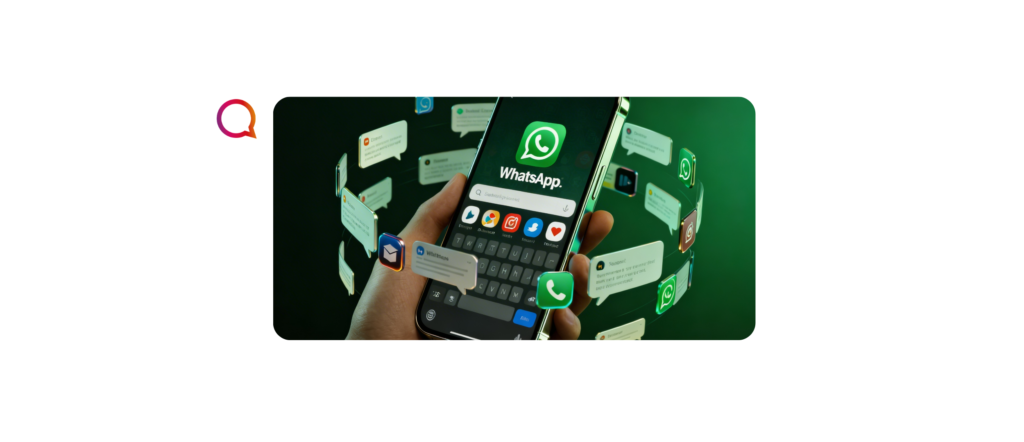
Even better is to combine an automated service—like sending invoices—with WhatsApp (Brazilians' favorite digital communication platform). But how? Through WhatsApp Flows! In this article, we will explore how use WhatsApp Flows to send invoices efficiently and seamlessly, ensuring your customers receive the right information at the right time. Follow along.
What is WhatsApp Flows?
First of all, what actually is the WhatsApp Flows?
Yes, Meta (and WhatsApp) never stop creating features and announcing new products every day. It's all part of a global strategy by the big tech giant to transform the messaging app into a super app, where users can not only chat and interact, but also make payments, make reservations, watch videos, play games – all without leaving the site.
Well then, the WhatsApp Flows is a first frontier of this strategy – a WhatsApp Business API functionality that allows create automated message flows to interact with customers in a personalized and efficient wayThis includes everything from payment confirmations, reservations and scheduling, satisfaction surveys, customer registrations, and yes, sending invoices and due date reminders.
The ultimate purpose of Flows is enable user-centric and conversational interactive experiences. Learn more about WhatsApp Flows here.
READ ALSO: “WhatsApp Flows: What is it and how to use it?”
Why automate sending invoices on WhatsApp?
Now that you know a little about WhatsApp Flows, the question becomes: Why automate my invoice sending? As we said, process automation does indeed help customer service teams become more efficient. But that's not all; there are a number of other benefits. advantages in having automated invoices, for example:
- Reduction of human errors: Less need for manual intervention, which reduces the risk of errors when sending invoices.
- Greater efficiency: Sending invoices automatically saves time and resources, allowing your team to focus on other important tasks.
- Customer experience: WhatsApp is a very familiar platform for most people, offering a more straightforward and convenient experience.
- Easy tracking: It's easier to track the status of sent invoices and send automatic reminders to customers who haven't paid yet.
And more: counting on the WhatsApp Business API (and Flows) together with the platform Chatbots & AI from the Matrix Go, it is possible manage payment status on the digital communication platform itself of each user – that’s right, Chatbots & AI is also a payment platform!
Step by Step: How to create an invoice sending flow on WhatsApp?
- WhatsApp Business API Setup
- First and foremost, you need the WhatsApp Business API – a professional version of WhatsApp for companies looking to integrate APIs and automate their customer service through the app. The WhatsApp API offers several benefits (such as single-number access, exclusive buttons and menus, differentiated Meta support, and the chance to obtain the blue verification badge). To access it, you must choose a Meta development partner. Matrix Go is one such partner and has extensive experience in configuring such features. Talk to us!
- First and foremost, you need the WhatsApp Business API – a professional version of WhatsApp for companies looking to integrate APIs and automate their customer service through the app. The WhatsApp API offers several benefits (such as single-number access, exclusive buttons and menus, differentiated Meta support, and the chance to obtain the blue verification badge). To access it, you must choose a Meta development partner. Matrix Go is one such partner and has extensive experience in configuring such features. Talk to us!
- Creating the message flow
- Flow opening: When a customer makes a purchase or hires a service (or directly requests an invoice), you can configure a flow that will be triggered automatically as soon as the transaction/request is confirmed.
- Initial message: Send a purchase confirmation/request confirmation message thanking you and informing you that the invoice will be sent soon.
- Sending the invoice: After confirming the purchase/invoice request, the system can automatically generate the invoice, link it to a PDF document or other format, and send the link to the customer via WhatsApp.
- Reminder message: If payment is not made by the due date, the system can send automatic reminders at defined intervals.
- Payment confirmation: If the customer makes the payment, another flow can be created to send a confirmation and even a payment receipt.
- Flow customization
- One of the biggest benefits of WhatsApp Flows is personalization. You can include variables in the message flow, such as the customer's name, invoice amount, and due date. Furthermore, it's possible (and highly recommended) to configure messages and automations to reflect your brand identity, tone of voice, and alignment with your products and/or services. All of this makes the overall experience more personalized and professional.
- One of the biggest benefits of WhatsApp Flows is personalization. You can include variables in the message flow, such as the customer's name, invoice amount, and due date. Furthermore, it's possible (and highly recommended) to configure messages and automations to reflect your brand identity, tone of voice, and alignment with your products and/or services. All of this makes the overall experience more personalized and professional.
- Integration with management system
- To fully automate the process, you can integrate WhatsApp Flows with your financial management system or ERP. This ensures that invoices are automatically generated based on transactions, eliminating the need for manual data entry.
More relevant interactions and experiences, and greater efficiency and agility in requests—these are truly incredible advantages of automating invoices through WhatsApp Flows. But more than that, it's proven that the automated sending of these documents (along with payment reminders) increases the conversion rate (and consequently reduces default rates) – research shows that many customers want to pay, but often don't remember or don't know how to do it.
READ ALSO: “PIX payments on WhatsApp! Learn more.”
Precautions when using WhatsApp Flows to send invoices
Important detail: as it involves payment information and personal data of customers, a serious curation and management of the database and automation created for sending invoices. Some points to note:
- Data security: Ensure all customer financial data is handled securely, especially when sending sensitive documents like invoices.
- Customer authorization: It is important that customers agree to receive invoices via WhatsApp to avoid problems with misuse of the channel.
- Compliance: Be aware of local regulations and privacy policies, such as the LGPD in Brazil, to ensure your automation is compliant.
Do you want to automate the sending of your invoices?
Sending invoices via WhatsApp Flows can transform the way your business handles billing, improve the customer experience, and increase your conversion rate.
The process of implementing such technology can be daunting, but counting on an experienced Meta developer partner, like the Matrix Go, it is easy to configure the WhatsApp API and create, test, and monitor your invoice sending flow through Flows.
Start exploring this feature now and be amazed by the results! Talk to a Consultant – we can help you: 0800 604 5555