You didn't read it wrong! We don't always have time available to listen to long audios and recordings sent by users on WhatsApp. And let's face it, many people overuse the tool. In other situations, you can't immediately stop and listen to a voice message, you don't know the language spoken, or you simply need to extract and share the description of the audio file. That's why WhatsApp has launched its native audio description, already available since November 2024 at several languages, including Brazilian PortugueseFind out how to activate the feature and what you can do with it below.
Enable audio transcription in WhatsApp
The appeal, although widely available for users of both Android how much of the iOS, requires activation in Settings from the app, downloading a data package with your preferred language. Follow:
- Open the application from WhatsApp on cell phone;
- Access the Settings;
- Click on Conversations;
- Activate Voicemail transcriptions;
- Select Transcription language;
- Choose your preferred language and download the data package.
How to use the transcription tool?
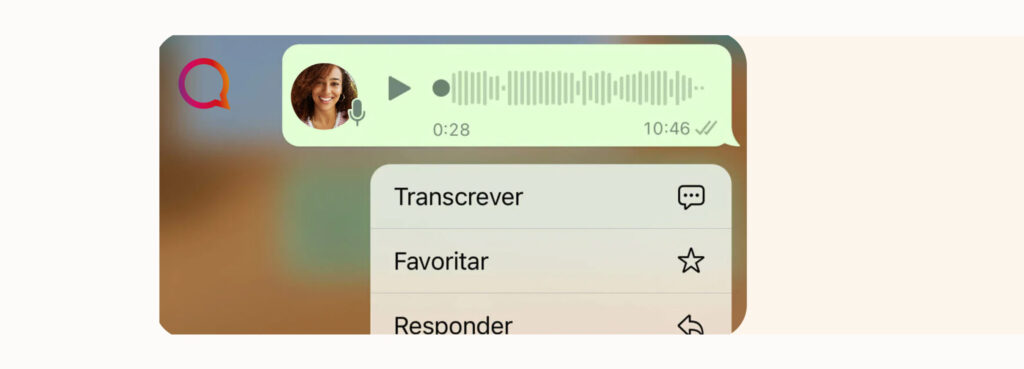
Once the feature is activated, it is possible request transcription within the conversation itself. Follow the steps below:
- Open the conversation with a voice message;
- Touch and keep your finger pressed on the audio to select it;
- Click on Transcribe in the top menu (on the Android system, you need to click on the three-dot icon to view the option);
- Wait a few seconds and the audio transcript will appear below it.
Observations
If you wish, it is possible change the language of transcripts for a specific chat. This feature is very interesting for those who chat with users from other countries, or even take classes in other languages. Simply select Transcripts in the top bar within a conversation; the change is only active for the selected chat.
One point that WhatsApp still leaves to be desired: it is not possible to copy the transcribed text or even share it in another message. At least for now, WhatsApp does not provide such functionality; so the best initiative in this case is take a screenshot and use external tools (like Google Lens or Live Text) to convert the image to text.
THE tool is free, available to all users, and promises convert any voice message in the app (including audio sent, received, or shared). It only doesn't work with audio files sent via the media tab (which don't configure recordings).
There is no limit on transcripts and conversations remain protected by end-to-end encryptionWhatsApp promises to add more language packs to the service over time.
READ ALSO: “Get AI on WhatsApp! Be amazed!”
Transcriptions for WhatsApp Business?
Although the functionality is indeed available on WhatsApp as a whole, considering the specificities of the application's use by companies, the individual use of the resource for each conversation with users (considering the volume of contacts and customer service agents) is counterproductive.
In this case, a much more interesting feature is to count on the Generative Artificial Intelligence integrated into your communication platform (for example, in the case of Matrix Go, no Chatbots & AI). The tool, in addition to bringing a series of automations and benefits to the customer experience, allows Copilot function, transcribe audios submitted by users and summarize them into key points, ensuring agents understand and interpret requests more quickly in each interaction. This feature is very popular among businesses that handle a high volume of calls daily.
To learn more about this feature and everything else that Chatbots & AI can do for your business, talk to a Matrix Go Consultant: 0800 604 5555
READ ALSO: “The WhatsApp verification badge is now blue! Get yours!